Showing posts with label Social Media Optimization (SMO). Show all posts

Thursday, September 8, 2011

How Google +1 Can Change the Dynamics of SEO

If you offer SEO services in India, you must have heard about Google’s new search result recommendation service called Google +1? This has revolutionized the field of social SEO and has started giving a tough competition to Facebook’s “like” option.
What is Google +1?
When you log into your Google account and search for something on Google, you will note that

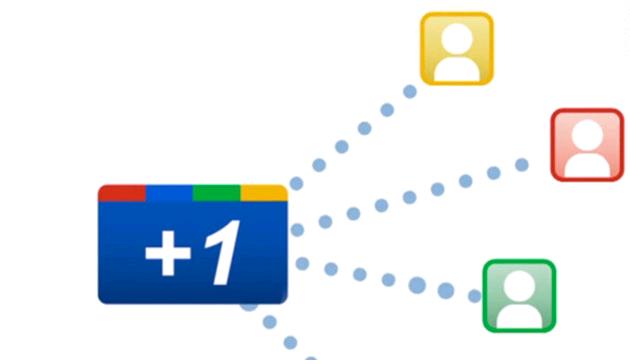
the search results appear with a +1 button beside respective links. Clicking on the +1 button, you can recommend the website to your Google contacts.
These recommendations will appear to your friends when they search on the same keyword. For example, if you searched for iPod and recommended an ecommerce website, when your friends search for the same gadget with the same keyword, they will see that you have recommended a particular site for it.
However, to make the +1 recommendation visible, you have to change the settings in your Google account’s +1 tab and make it “public” from “private”.
A website admin can add the Google +1 button in his website very easily. The process is similar to adding a Facebook “like” button or Twitter “tweet” button. When a visitor comes to a site and likes it, he can click on the social media button to recommend it to his friends and social circle.
The process of “like” and “Google +1” may look the same, but the +1 has a lot more effect on search engine optimization and page ranking.

How it Works?

When you click on the +1 button, the link gets shared with your social circle. This social circle consists of all the contacts in Google Talk, Gmail, Buzz, Contacts, Google Plus, etc. The recommendation appears to both the person who has recommended the link and to friends in his social circle.
For example, if Bob, Bill and Dan are three friends and Bob recommends a link, Bill and Dan will see that their friend Bob has recommended it. Now, if Bill also recommends the same link, then Bob will see “you and Bill have recommended this site.”

How it Helps in Online Marketing?

The Google +1 is a boon to SEO companies. Online marketing has completely changed with the introduction of Google +1 button. The click-through rate, or CTR, will see a boost for those that have higher number of Google +1 recommendations.
Normally, popular sites will be recommended by thousands all over the world and help them to secure top ranking. But Google +1 is also beneficial for small companies. If you are looking for “SEO services in India” and see that the search result shows a recommendation for a particular company, you will be more interested in it, even if they don’t appear in the top 10 search results. We are always more comfortable to work with a company when our friends recommend them.

How Google +1 Will Affect SEO?

If a link is being +1’d by a large group of friends, Google will increase its page rank. Compared to false account SEO activities, a genuine recommendation helps Google to understand the value of that website. If your friend recommends a particular site, you will probably spend a lot more time there than on other sites. Google measures the success and failure of a site by its bounce rate. Bounce rate calculates how long a user stays on a website. It will help Google’s algorithm and page ranking system.

Can it be Manipulated by Black-hat SEO?

If you think that anyone can randomly click on the +1 button to increase a website’s search ranking, then you are mistaken! Google is no fool; they can mark a spam +1 recommendation very easily. If you use your Google account regularly and use services such as Gmail, GTalk, and Google Plus, etc, your recommendations will be considered as genuine. But if you use a fake account and only +1 hundreds of links everyday, Google will soon realize your intention.

Why it’s Here to Stay?


What is the advantage of Google +1, when there is already Facebook “like”?
When you “like” a site on Facebook, your friends can only see that recommendation for a few days. Later, they will forget about it. But when you +1’d a link, it stays for a very long time. Even if your friends search on the same keyword after several months, they will see that you have recommended a particular site months ago. This is very important for online marketing. Google +1 increases the chances of brand recall and rise in profit margins.
Google +1 is an excellent tool for SEO and marketing. However, it has one shortcoming. To recommend a site and see your friends’ recommendations in the search results, you have to log in to your Google account first. Though, if you consider the number of people using Gmail everyday, the possibility of seeing a recommendation while logged in is very high.

Seo Services Hyderabad

Website Design Hyderabad
 
Levonsys is leading Website Design and Development Company based in Allen, Texas and Hyderabad, India. Levonsys Services includes Website Design and Development, Web applications Development,Search Engine Optimization (SEO), Social Media Optimization (SMO)

Friday, September 2, 2011

Why Use HTML5 Features in Web Design and Development?

HTML’s latest version, HTML5, builds on the highly successful features of HTML4. Although, currently supported by only few web browsers and is not expected to complete before 2014, HTML5 features have already gained widespread popularity. Undoubtedly, the gen-next HTML can improve website design by adding many attractive and excellent elements. Also, because HTML5 builds on HTML4, web developers need not suspend the existing markups. An improvement on the old markups will be seen to allow the new features to better website appearance and usability.
Here’s a look at what the next generation HTML has to offer:

HTML5 Features
  • The doctype specification that was used by HTML4 has been simplified for HTML5. Browsers will continue to render pages in standards mode.

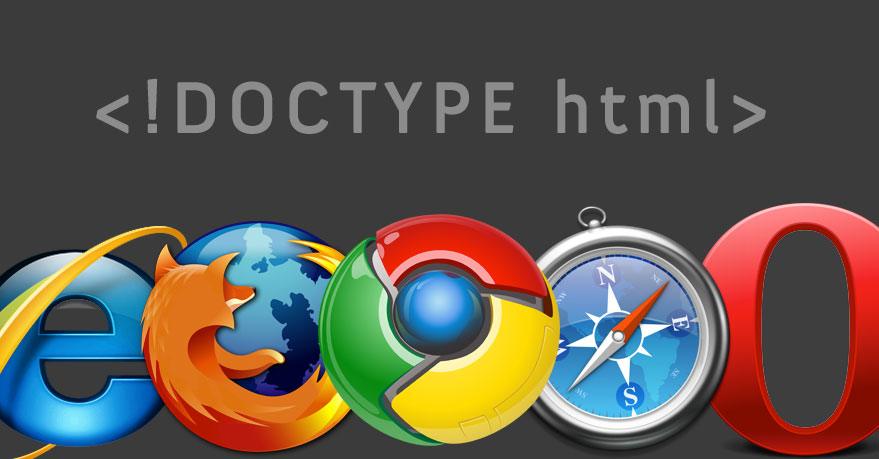
However, with the simplified doctype  declaration, it is now only <!DOCTYPE html> to be used in the HTML5 syntax.
•  HTML5 provides outstanding support to   audios and videos. When all browsers fully support HTML5, it will be manifolds easier to add videos and audios to websites without using outside plugins.
•  HTML5 allows simplified content editing of your website. The ‘contenteditable’ attribute allows you to easily and quickly edit/change your text. All you have to do is add ‘contenteditable=“true”’ to change any element.
  • HTML5’s canvas element is good news for web designers. This feature allows you to bypass Photoshop by allowing you to directly place 2D images in the code.
  • You can still navigate web applications when offline by virtue of the HTML5’s application cache feature.

How the Use HTML5 can Help Web Designers
  • Because it implements WebSockets, HTML5 loads quicker than HTML4
  • For mobile phone companies creating applications for mobile phones, HTML5 could be the solution to faster applications that will be accessible universally across all mobile phones.
  • HTML5 makes web development faster, easier and more flexible to modifications/changes.
  • With HTML5, the need for third-party software to write codes for media tools like audio, video and images, is obliterated. Media tools can now be directly written into the codes.
  • The growing popularity and wide use of HTML5 is going to get better and faster with new features. It only makes sense that designers shift to this improved coding language to produce advanced websites.
  • Together with CSS3, HTML5 can create designs that are smarter, more attractive, and load faster.
HTML5 can give your designing skills a serious boost. In a world where competition rules and online businesses are fighting to stay alive, a stylish website, combined with the correct SEO factors, can pull your business from the muck of competition to a place of distinction.

 Website Design Hyderabad
Levonsys is leading Website Design and Development Company based in Allen, Texas and Hyderabad, India. Levonsys Services includes Website Design and Development, Web applications Development,Search Engine Optimization (SEO), Social Media Optimization (SMO)


Email Marketing-Enhance Your Business?

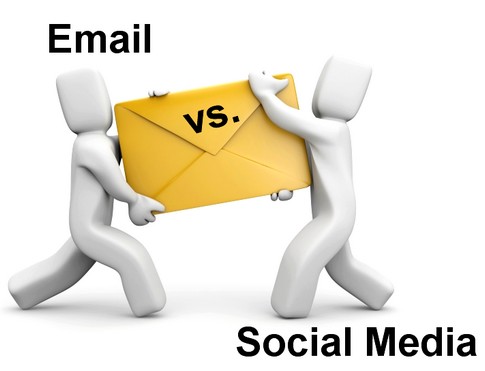
Email used one of the dominant mediums of communication on the Web. With the evolution of social media however, it has lost its sheen. Several companies and individuals have dropped email and started using their Facebook or Twitter accounts for communication. The question is, “is email really obsolete?”
The answer is: No! If used wisely, emails can still work wonders for online marketing.
Why People Are Losing Faith in Email?


Email is the oldest medium of online communication, and when compared to social   media features, is pretty dry. With social media tools, millions of people can communicate with each other instantly. Facebook and Twitter are probably the largest marketing platforms with billions of fans. Many big corporate houses have gained huge business success through social media. Email marketing is outdated because most consider it boring. In fact, teenagers, and most below 50, hardly use email these days to share events, activities, comments, pictures, etc.
  • Social networks are mostly privately owned and have a market value worth billions of dollars. LinkedIn’s estimated market value is $10 billion and if Facebook goes public, it can earn a market share of $100 billion. Everyone wants a share in social media because it’s profitable. Email is non-proprietary. It doesn’t have a market value. Email is like air, its essential but you don’t pay for it.
  • Another major drawback of email is you can’t get the attention of a huge audience at the same time. Email is private. You can send a mail to only those who you wish to or know ids of. When it comes to Facebook however, whatever you write on your wall can be viewed by thousands of people at the same time, with or without being on your friend list. Online marketers like to share their news fast, and with a large audience.
  • Another major drawback of email is you can’t get the attention of a huge audience at the same time. Email is private. You can send a mail to only those who you wish to or know ids of. When it comes to Facebook however, whatever you write on your wall can be viewed by thousands of people at the same time, with or without being on your friend list. Online marketers like to share their news fast, and with a large audience.
Why Email is Still Important?
  • Emails do not have the ability to share content with millions at once and create thousands of fans, but when it comes to number of users, social media falls behind. In USA, only 6% of people have never sent or received an email, but 39% internet users never used any social network. That means email marketing is your safest bet when you want to communicate with a large audience.
  • You may have an account in Facebook, Twitter, LinkedIn, Myspace, Orkut, and in many other sites. But when it comes to email addresses, you probably have 1-2 email addresses. When people have too many social media accounts, they will overlook a post or tweet, but when they receive a mail in their inbox, the possibility of checking the message is much more.
  • When it comes to direct marketing, 93% of email users have opt-in relationships with a consumer brand, compared to 15% on Facebook and 4% on Twitter. Facebook has realized the importance of email as a medium of communication and marketing. They have already launched a @facebook.com email address.

  • Email attracts users’ attention. When people receive an email in their inbox, they read it most of the times. But when the same person gets a feed from Facebook, he overlooks it.
  • When it comes to social media like Twitter, you have only 140 characters to express yourself. Email has no such limitations. You can write in detail about your product or service.
  • Email does not irritate users. You can keep your inbox to zero. But Facebook and Twitter floods your profile with hundreds of updates every minute. How many Tweets can an online marketer send? No matter how many he sends, some new Tweet from another company will replace it, and the previous Tweet will go into oblivion.
  • Email marketing is slow but steady. Using email, you can cultivate your brand image, advocate the reasons that make you the best and create a long lasting impression on the users’ mind. In social media, the PPC campaigns are like shooting stars. Once you stop PPC, people forget about you.
Things to Remember in Email Marketing
  • When you send an email, write in simple language but offer valuable information. People forgive gibberish content in Facebook, but not in a mail they get from the same brand.
  • Email gives you the freedom to write as much as you wish. Still, your content should be compact and coherent. Writing too much can bore your target audience.
  • Categorize your customers and send message to them with a personal tone. You should not address the entire audience the same way. Also, do not address collectively, saying “hi all”.
Despite the popularity of social media, email has its own advantages. It reaches the target audience directly and individually. To start a successful online marketing campaign, you can’t ignore email.

We at Levonsys provide you our specialized Pay Per Click (PPC) Campaign Management Services for effectively and economically running your Adwords, Text-Ads and Banner Advertising campaigns on Google, Yahoo and their partner sites. Clients or Organizations willing to get their PPC campaign managed by us are encouraged to open their own Google Adwords account and get their own credit card registered with it to make arrangements for their advertising liabilities towards the respective search engine.
Website Design Hyderabad


How to Write Better CSS in Easy Steps

A clean and proper CSS code can help create a website design faster and with more ease than when you are using tables. However, your first dig at CSS can be a little odd especially if you are comfortable using tables. Nevertheless, in the best interest of clean stylesheets and a more efficient output, here are 10 easy tips that will help you write better CSS:

1.    CSS Reset – is especially useful when you are writing the same code repeatedly to make your design displayable in different browsers. Using a CSS reset stylesheet would mean to build off browsers from zero and ensure your design is properly displayed in all browsers.

2.    Indent Always indent your CSS rules so that when you are writing more than 500 lines of CSS codes, you don’t need to sift through the file to find id’s and classes, and strain your eyes in the process.


3.    Comment These help keep your stylesheets structured. When you comment out blocks of codes, the scanning of classes and id’s become easier. Besides, when your clients go through your codes, they can change what they do not like without having to ask you.

4.    Keep it Clean Always code one rule in one line and multiple rules in multiple lines. That way, not only does your stylesheet look uncluttered, but also it’s easier for you to find items, and change them as required.

5.    Consistency This is not something you will notice as you work on a daily basis, but once you review your stylesheets, you will find a definite pattern you follow in the way you write specific lines of code. The idea is to maintain a single style of coding throughout your stylesheet, and those you will write in future, so editing becomes easier and takes less time.

6.    Separate the CSS hacks and conditional elements from your main stylesheet so their modification or editing can be done without affecting codes in your main style.css file.

7.    Shorthand Code Shorthand increases your speed of writing and also helps keep your stylesheet clean. Follow the clockwise format so each numeric value rightly corresponds to its quality.

8.    TOC A Table of Contents at the top of your stylesheet will allow you to easily find items in your code.

9.    Easy to Follow Names CSS id’s and classes should follow a proper naming structure so they are easy to understand.

10.    Alphabetical Order Following this in your CSS rules will make it remarkably easy for you to pick out specific lines to edit in your code. Haphazard alphabetization means you will have to scan you codes a while before you find a specific line and change it.

Website Design Hyderabad

Levonsys is leading Website Design and Development Company based in Allen, Texas and Hyderabad, India. Levonsys Services includes Website Design and Development, Web applications Development,Search Engine Optimization (SEO), Social Media Optimization (SMO)

15 Check Points Before Website Launch

Your website is complete and ready to be launched. But before you make it live, stop and think: are you forgetting a few necessary checks in your eagerness? Here’s a list of 15 things to check before making your website public:
  1. Titles and Meta Tags – Page title is not only important for SEO, but it tells the user what a page is about. Page titles should ideally change with each different page and must relate to that page’s content.
    Although meta keywords and meta description tags have little importance in SEO for major search engines, they should still be included. Meta descriptions must be different on each different page and relate to that page’s content. Meta descriptions are important because search engines often display the description in search results.
  2. Proofread Content – Check your content one more time before launching your site. Get someone to read it, preferably someone who doesn’t yet know about your product. There will always be something to pick up on from his/her feedback. Revise content and see if you can make modifications, reduce, break, or add text to make your idea more comprehendible to first-time users.
    Check dynamic texts on your website too.
  3. Check Functionality – Test your site thoroughly before making it live. Do your contact forms, subscriptions forms, shopping carts, search functions, member log-ins and registration areas, etc, work correctly?
  4. Graceful Degradation – Check if your site works with JavaScript turned off, because personal computers often have JavaScript disabled for security reasons. Also test any AJAX features on your site.
  5. Links – Search engines hate broken links, and users find them frustrating. Don’t just assume all your links will work because they are in place. Check them before you make your website live. The last think you’d want is for users to click on a call to action link and be redirected to a 404 error.
    Make your links prominent to users by using link colors that stand out against your page’s background. Make sure you code a different color for visited links; you don’t want users clicking on the same links repeatedly. Also, avoid underlining text that is not a link.
  6. Defensive Design – A 404 page will be displayed if your users request a page that does not exist. By providing a 404 page that directs the users to your home page or suggests another page, you are stopping users from exiting your site.
    When you are validating your forms, check by submitting information that is unusual like letters in number fields and vice versa, lots of characters, etc. If there is an error on submission, error messages should help users fix incorrect entry.
  7. Sitemap – Don’t forget to add the sitemap.xml file to your root directory before website launch. Sitemap.xml points major search engine crawlers to pages of your website, thus helping search engines easily index your site. Your sitemap.xml should be uploaded to a location in your root directory so it appears as www.abc.com/sitemap.xml.
    If you are using WordPress, install Google XML Sitemaps plug-in to automatically update your sitemap whenever you post new write-ups. Uploading your sitemap to Google Webmaster Tools tells Google you have a sitemap.
  8. Validation – Neither users nor search engines care much for validation because web pages will still be displayed perfectly without validating codes. However, it’s still a good idea to validate your pages. They not only help debug your codes but also improve the overall quality of your work.
  9. Analytics – An analytics tools help measure statistics to determine how successfully your site is performing and converting. Google Analytics is a favorite among web owners. Other analytics tools like StatCounter, Kissmetrics and Clicky can also be used.
  10. RSS Link – If your website has a newsreel or blog, make sure you have an RSS feed for users to subscribe to. Conventionally, a RSS feed icon in the browser’s address bar works, although sidebars work too. To include the RSS feed in your address bar, include this code between heads:
    <link rel=”alternate” type=”application/rss+xml” title=”Site or RSS title” href=”link-to-feed” />
  11. Cross-Browser Compatibility – Always check your website on popular browsers like I.E 6, 7, and 8, Chrome, Opera, Safari 3 and Firefox 3 to ensure your website design shows up correctly.
    Most web designers you know are trying to combat cross-browser incompatibility and their designs from appearing dislodged across browsers. But cross-browser incompatibility is a disease of the web that isn’t going to get cured anytime soon. Therefore, while your design does not have to be pixel perfect across all browsers, it should at least show up correctly on all browsers.
  12. Optimize – Optimization is a process that multiplies in practice after you have launched your website. However, by ensuring you have employed the basic rules of SEO to your site, you have helped it foray in the right direction.
    Make sure your page titles, headers, keyword-rich content, image alts and CSS styles are in place so you can build up on them, along with other SEO practices after your site has been launched.
  13. Back-up – A back-up strategy is crucial, especially if your website runs on database. For a WordPress website, make sure you have installed a WordPress database Backup.
  14. Print-Style Sheet – Create a print-specific style sheet so that if users want to print your page’s main content, they are able to directly print from your web page without having to copy and paste main content into a text document to avoid navigation and design elements. Use the following code between heads:
    <link rel=”stylesheet” type=”text/css” href=”print.css” media=”print” />
  15. Fevicon – A Favicon brands the window or tab your website opens in, in a user’s browser. This branding icon is also saved as bookmark when you favorite a web page for quick future access. Some Favicons will be saved in the root directory as favicon.ico depending on your browser. To ensure your website’s Favicon is picked up all the time, use the following code in your head tag:
    <link rel=”icon” type=”image/x-icon” href=”/favicon.ico” />                                                        Website Design Hyderabad 

    Levonsys is a 10 year old – Website Designing and Website Development company in Hyderabad, India and Texas USA. We cater and collaborate with a wide client base and business partners across the globe and offer a galore of services relating to all the sectors in the IT Industry.


Tuesday, August 30, 2011

web marketing-Competitors Analysis

Competitor analysis is the first of the 6 steps to web marketing success because understanding how your competitors have succeeded online can help you avoid the costly trial and error of testing strategies that do not work. After we disassemble your competition’s web marketing we will outline in clear detail what they have done right to be worthy of your scrutiny.
In this analysis we typically analyze a minimum of three competitor websites in order to see if any trends are developing. This intelligence will play a critical role in creating the custom web strategy that will serve as your map to online success.
Our competitor analysis reports include the following information:

Section 1) Link Popularity Analysis

How the number of links pointing to your competitor’s website(s) may or may not have contributed to their ranking success. In addition, we will provide additional commentary should something of particular interest arise.
For example, we may find a number of websites that provided link popularity to the competition but would be willing to link to your web site as well; with little or no work on your part. In one instance this meant a rare opportunity of finding a PR9 website willing to provide a link for a client; links such as those are more valuable than gold.

Section 2) Search Engine Friendly Analysis

How search engine friendly is the structure of your competitor’s web site? Have the search engines found a large percentage of the pages that actually exist on their website(s)? If so, it could be that their web site structure is helping them win online. We will outline our findings and provide live online examples wherever applicable.

Section 3) Search Engine Optimization Analysis

How well has your competitor’s web pages been optimized for search engine rankings? We will carefully pick apart the background programming (source code) of their home page and other major pages in their web site to determine what they may have done correctly to assist their success.

Section 4) Keyword Analysis

What keywords are your competitor’s focusing their marketing on? Using a variety of analytical and statistical methods we will put together a comprehensive list of the keywords for which your competitors chose to focus advertising dollars.

Section 5) Competitor Summaries

The findings for each competitor will be revealed in this section.

Section 6) Summary Recommendations

The competitor analysis will be concluded with summary recommendations for your website based on the effective tactics discovered.

Our SEO Professionals team at Levonsys performs marketing research, suggest the best search engine marketing channel like SEO, SMO, Google sponsored listings (paid listing) and how to make a SEO friendly website for your online business.

Website Design Hyderabad 

Email: sales@levonsys.com | www.levonsys.com

Usefull links for Web Developers

Here are a number of useful links I’ve discovered recently which could ease your development burden when you return next week…

CopyPasteCharacter.com
copypastecharacter.com

If you don’t know your &raquo’s from your &rdquo’s, copypastecharacter.com is a great tool which could help you find the right HTML entity. Click any symbol and its character or HTML code is copied to the clipboard.
If you require something a little more sophisticated, the XHTML Character Entity Reference provides a categorized list of characters with their HTML entity code, numerical reference and unicode representation (useful for JavaScript).

ge.tt
Easy File Sharing with Ge.tt

Do your clients often try to send you videos or other large files from their AOL email account? Save their sanity and suggest they use Ge.tt.
While there are many file sharing systems, Ge.tt is one of the easiest I’ve seen. It’s free, there’s no need to register and there are no file size limits. File links can be sent to others via email, Twitter or Facebook. Your data is retained for 90 days, you can access download statistics and the developers are creating an API.

supportdetails.com
Support Details

It’s Friday, 5.30pm and your phone rings. It’s ClientX and they’re not happy. “My site doesn’t work.” they claim, “It’s broken and I want it fixed now”. You load the URL and everything seems fine.
A long conversation follows as you try to identify the problem. Unfortunately, the client doesn’t know what browser they’re using — they don’t know what a browser is. It’s futile to ask about their OS, screen resolution, color depth, version of Flash, or JavaScript state.
Fortunately, supportdetails.com can answer many questions for you. Ask them to visit the site and enter your email address to receive a report about their system. They’re probably running IE3.0 on their Great Aunt’s Windows 3.1 PC.

8bitalpha.com
Convert PNGs with 8bitalpha.com

24-bit alpha-transparent PNGs are great. However, Fireworks users know that 8-bit PNGs are smaller and work in more browsers. If you don’t use Fireworks, 8bitalpha.com may help. Simply drag your 24-bit masterpiece into the page and have an optimized 8-bit version returned.

ninite.com
Install and Update Software with ninite.com

Have you recently received a new PC? How long did it take to download and install your vital software, developer tools, browsers, media players, runtimes, virus checkers and utilities? How long does it take to find, download and install updates?
Save those lost hours with ninite.com. It’s easy: choose your applications, download the installer, and let it do the hard work for you. The installer can be run again when you want to check for updates.
ninite.com is primarily for Windows users who don’t have the luxury of a built-in package manager. That said, a Linux version of ninite.com is also available.

Bonus Link: URL Hunter

Are you fed up with fancy 3D games? URL Hunter is possibly the simplest browser-based game ever devised. It’s played in the URL bar and your task is to shoot the ‘a’ characters. It’s hardly Call of Duty, but it’ll give you a few moments pleasure and no one will realize you’re enjoying yourself.

Website Design Hyderabad 

Levonsys is a 10 year old – Website Designing and Website Development company in Hyderabad, India and Texas USA. We cater and collaborate with a wide client base and business partners across the globe and offer a galore of services relating to all the sectors in the IT Industry.


Saturday, August 27, 2011

Steps to Email Marketing

Recognizing the objective and the purpose for email marketing program you could easily create successful mail. Here are the 7 key steps to create an effective email which is given below.
1. After identifying the target of the email marketing program you could better understand the target of email marketing.

2. When your target is clear you could easily send the email advertising to the targeted list of email. So create a target email list before you go for email marketing program and make it successful.

3. Tracking the results is very significant it would help you to determine that who opened the message and click the links and multiple links within your email. Tracking is particular significant when testing the subject lines, imbedded links and other direct response vehicles.

4. Creating a good email is very significant for the email marketing program. The mail should be written in the way that it would demonstrate the object and the target. Try to use simple language and make it free form spellings and grammatical errors. Don’t forget to make it professional. A successful email marketing program is greatly depends upon how you write the mail.

5. State and describe clearly about the product and service well in the email. If you are talking about any idea then explain it well so that the reader could understand it clearly.

6. Always follow the rules and regulations of email marketing or otherwise your email may be marked as spam or could be blocked and banned by the reader. This would lead to squander all your marketing efforts.

7. Send repeated emails because it has found that the repetition of emails often helps as people need the re-assurance when they decide about something. So, re-assure them with the email. Repeated emails also help in reminding the reader.

We at Levonsys provide you our specialized Pay Per Click (PPC) Campaign Management Services for effectively and economically running your Adwords, Text-Ads and Banner Advertising campaigns on Google, Yahoo and their partner sites. Clients or Organizations willing to get their PPC campaign managed by us are encouraged to open their own Google Adwords account and get their own credit card registered with it to make arrangements for their advertising liabilities towards the respective search engine
 
Website Design Hyderabad 


Tips for Better Branding Your Website

Online marketing and branding has become an important aspect of small business entrepreneurship marketing campaigns. With increasing competition and demand for search engine optimization services, top rated SEO companies are charging high. And the cost is often beyond the means of small scale business owners, bloggers and freelancers who need good exposure to their site. Even if you find affordable SEO packages that suits your budget you still need to invest money rather tactfully to get optimised result.
Whether you are a professional blogger or using your website to sell any product or service you need to brand your site. Here are a few tips for better branding of your website.

1. Clear objective: Your website should have a clear goal. The purpose of the website should be clearly defined so that visitors (who are potential customers) to your site easily understand what it conveys and connect to it immediately.

2. Domain name: Choosing the appropriate domain name is highly important. Try to use your brand name as domain name as it will be easier for visitors to remember. And that is the main point about branding.

3. Choosing a logo: Selecting a logo that is attractive and at the same well-suited with the theme of your site is important. Remember, the logo represents your business. So it will be wise to invest good money on something that has immense potential to make or break your brand.

4. Design consistency: It is important to stick to a particular design layout throughout the site. The color theme, images, and designs should comply with the content of the site. Most importantly, use the logo site wide because repetition leaves a long lasting picture of your brand in visitor’s mind.

5. Social media marketing: Sign up with prominent social media sites with your website or online company name. You can find a large target audience here. Regular communication and networking will definitely help in branding your website through social media marketing.

6. Exposure: Spread the link of your website on the web as much as possible. Online branding tools like Brand Guardian are also available to help you build your brand with less time and effort. In addition, use your website’s link in your email signature. Writing article and guest post for prominent blogs with your brand name and links embedded in it is another good technique to get exposure.

We at Levonsys provide you our specialized Pay Per Click (PPC) Campaign Management Services for effectively and economically running your Adwords, Text-Ads and Banner Advertising campaigns on Google, Yahoo and their partner sites. Clients or Organizations willing to get their PPC campaign managed by us are encouraged to open their own Google Adwords account and get their own credit card registered with it to make arrangements for their advertising liabilities towards the respective search engine
 
Website Design Hyderabad 


How to Choose the Right SEO Professional?

The Search engine optimization is always significant for the online business to be prospered. Many companies are now known to the great benefits of the SEO and therefore they are needed for the every single day and one of the great pillars of the online marketing. There are number of benefits associated by having the ranking of the website and sent the huge amount of traffic to your website whenever this occurs.


Therefore it becomes important for the website holder to pick the right SEO Company or the Professional SEO company to be work with. As SEO is completely new field in the ground of online marketing and becomes really difficult to inform which company is best in the online marketing field and with the number of companies around and at the same time you must be careful too because choosing the wrong one can lead you to disaster.

Firstly you have to go through the SEO professional’s website and have a thorough analysis of the website with the regards to the content. Now if you feel that they have done the good job and really an expert in the field then seek the search engine rankings and find the keywords that they have used to optimize.

After you analysis the website of the SEO professional you like to work with, you could request for the portfolio. If the portfolio is already present in the website then make sure that they have the best and updated one which contains the links to the website that they have done in the past. It has found that some SEO professional doesn’t put the portfolio pages in the website for the various privacy reasons. So you could simply ask for an email or perhaps have a meeting with the particular person. Moreover you could check out the track record of the SEO professional by receiving the feedback and reviews from the professional.
If you somehow positive about the SEO professional to work through your campaign then you could ask them to give in an SEO proposal and check the details what the proposal contains and the various strategies they is used to gain the search engine rankings. Also make sure the strategies are legitimate and would not violate the norms of the search engine regulations.

Lastly a good SEO professional would send you the reports time to time regarding the online marketing campaign so that you are updated with how the things are going on.

These are some of the basic steps in order to find the right SEO professional. Hopefully if you follow these steps you may lead to the right person who would bring you better into your business.

We at Levonsys provide you our specialized Pay Per Click (PPC) Campaign Management Services for effectively and economically running your Adwords, Text-Ads and Banner Advertising campaigns on Google, Yahoo and their partner sites. Clients or Organizations willing to get their PPC campaign managed by us are encouraged to open their own Google Adwords account and get their own credit card registered with it to make arrangements for their advertising liabilities towards the respective search engine
 
Website Design Hyderabad 


Tips To Brochure Designing

Brochures are very good method of advertising on a large scale. They help in publicizing your product, or business, or any event in a very positive way. A brochure helps in reaching out to a number of people at a short span of time. You can also create your very own brochure by following theses simple tips.
Brochure Design
Top Tips For You:
  1. Make it colorful. A dash of color is enough to attract the much required attention. A dull, colorless piece of paper is often ignored by everybody, whereas a colorful brochure will gain more interest.
  2. Include pictures in your brochure. Only text in a brochure can get really boring, pictures often help in breaking the monotony and providing a much pleasant experience. You can get these photos from various web resources.
  3. People have a habit of looking at the pictures first, then the bold headings and subheadings. It is always better to provide the most important information within the pictures and in the headings itself.
  4. Use the white spaces in your brochure intelligently. Make sure you keep appropriate gap between the lines and paragraphs of your sentences.
  5. Remember less is more. Never try to put everything all at once. This will make your brochure look very clumsy and cluttered. This will not appeal to the readers.
These tips will help you in designing a very good brochure for yourself. For details refer Levonsys.

Website Design Hyderabad 

Levonsys is a 10 year old – Website Designing and Website Development company in Hyderabad, India and Texas USA. We cater and collaborate with a wide client base and business partners across the globe and offer a galore of services relating to all the sectors in the IT Industry.


Tuesday, August 23, 2011

Website Content Tips

The content of your site is arguably the most important area you must strive to perfect. It's the 'meat in the sandwich' situation and your filling must excel in order for visitors to stop, sample and entice them back another time for more.
Content is what people search the Internet for, once they arrive at your site, its content must engage and impress the visitor with its quality and presentation. Here are some important considerations.

  • Adopt good accessibility to everyone regardless of their limitations.
  • Content is more than words, it can make or break a web site.
  • Reader must get the gist of the page quickly - ideally without scrolling.
  • Use headline titles - facilitates scanning, which most people do.
  • Use short sentences - makes for easier reading.
  • Use white-space effectively to break up large blocks of text.
  • Use bullets for lists - assists scanning and derives emphasis.
  • Update your content - keep it fresh and relevant.
  • Consider archiving older content into an archive section on your site.
  • Put your most important information on the top portion of your page.
  • Content is king - provide lots of worthwhile and free information.
  • Always put yourself in the shoes of your target site visitor.
  • Communicate your information clearly and concisely.
  • Don't put your text in one big block, separate it into paragraphs.
  • Use the minimal amount of text needed to still be effective.
  • Readers reject any text that looks difficult, boring, or confusing.
  • Well organized content demonstrates professionalism.
  • Convey expertise and confidence but don't over do it!
  • Text supported with sub-headings is easier to read.
  • Should interactively or actively engage your visitors.
  • Write in a style that is compatible with your target audience.
  • Must be interesting, useful and of real value, not just to fill a page!
  • Be different from the masses, provide unique content.
  • Don't let pages scroll down endlessly - break it up.
  • Lack of quality content may hinder Search Engine indexing.
  • Directories normally require substantive and good content for listing.
  • Share and express your knowledge in meaningful, helpful ways.
  • Writing better, high quality web content yields greater success 
Website Design Hyderabad 

Levonsys is a 10 year old – Website Designing and Website Development company in Hyderabad, India and Texas USA. We cater and collaborate with a wide client base and business partners across the globe and offer a galore of services relating to all the sectors in the IT Industry.


    Monday, August 22, 2011

    Online/Internet Business Ideas

    What Internet Business would you like to create and promote?

    The Internet is a wonderful medium for business. You have the entire world as your market, you can operate from anywhere within it and if you choose your product or service carefully, you have low operating costs. Once you start thinking along these lines and particularly compared to 'real world' costs and limitations, you'll begin to understand how there's nothing like it. So think objectively how you can become a success in this remarkable opportunity.

    The creation of your own web site should be built on a theme or topic that appeals to you passionately or that you are very knowledgeable about. Whilst you can start an Internet business site on any conceivable topic, one that fits the above criteria will yield more enjoyment and/or success. I have listed some web site starter ideas below to stimulate your thinking process.
    • Cooking − With everyone in a hurry these days, provide a resource to address people's busy lifestyles in food management, planning and recipes etc. How do you do it successfully
    • Computer − Computing and the Internet are opening up to different generations now, target the right market with tutorials and resources and you could be on to something big!
    • Crafts − Share your unique way of craft-making or interest about your favorite craft.
    • Culture − From or have some involvement in an unique culture? Be the leading knowledge on it!
    • Entertainment − Your local area may benefit from an informative entertainment site, special events in your town or surrounding areas, etc.
    • Exercise − We are all probably guilty of not doing enough of it, or done correctly; could your program or expertise benefit others in some way?
    • Fashion − A fashion guru or got your finger of the fashion pulse? Be a fashion source!
    • Gardening − A real green fingers? Tell the world your love or special interest and share some of your gardening secrets, a very popular but difficult subject to master! Be the answer!
    • Handy Work − Maybe you can offer great tips for fixing things around the house. Who couldn't use your expert experience?
    • Interior Decorating − Some are good at it, most are not; make it simple for the mass that are not, provide tips, tutorials and resources from your hard earned experience)
    • Men's Issues (have a large circle of friends? What problems come up all the time [other than women!], address these problems in your own site and you could be onto a winner.
    • Movies − Enjoy going to the movies? Or now with home entertainment the buzz, share your knowledge or expertise in this area.
    • Music − Music lovers will adore you for building a resource site for music lyrics, musical instruments and where to get them, music reading tips, etc... this is a big area.
    • Office Organization − You'll find that people who run a busy office are always looking for ways to improve the office atmosphere. You can show how to organize, prepare paperwork, manage and distribute work load, etc.
    • Parenting Tips − First time parents need all the help they can get, how can your parenting experience help them?
    • Pets − Exotic breeds, training, care etc.
    • Problem solver − Who doesn't have a problem? The greatest success can be providing an answer to people's problems. Think about the people's problems around you and how you could address their needs.
    • Retirement − It's a growing [no pun intended] area. How should we prepare for it, what do need to know. Provide information about successful retirement, best retirement locations in the world, money management, etc.
    • School Work helper − Be an inspiration to many who might need your expert help!
    • Special Interest − Perhaps you're a huge fan of a certain collectible item and would like to provide a list of resources about the item.
    • Sports − Who doesn't like some sports? Be a knowledge king or queen in your passionate field. Sharing help, knowledge and resources in your field of interest could be a help to thousands?
    • Time management − Lead a busy lifestyle but have it under control? Share your secrets and help others, help themselves; this is an area that is getting more important in life.
    • Volunteer − Your free time will be valuable to your organization. You can a site for your favorite organization and help fulfill it's purpose on the Net. Web-Designz gives special consideration to such groups.
    • Women's Issues − Have a large circle of friends? What problems come up all the time [other than men!], address these problems in your own site and you could be onto a winner.
    • And the list goes on... 
    We at Levonsys provide you our specialized Pay Per Click (PPC) Campaign Management Services for effectively and economically running your Adwords, Text-Ads and Banner Advertising campaigns on Google, Yahoo and their partner sites. Clients or Organizations willing to get their PPC campaign managed by us are encouraged to open their own Google Adwords account and get their own credit card registered with it to make arrangements for their advertising liabilities towards the respective search engine
     
    Website Design Hyderabad 


    Website Design Terminology

    This Website Design glossary has been created to further your understanding of web design jargon & related wording that you will encounter in this site and elsewhere. This glossary's intention is to be relevant and beneficial to your understanding rather than be comprehensive. While this glossary will grow over time, if you have any questions (whether it's help you're seeking or advice you are suggesting), please feel free to contact us.


    Accessibility − Refers to a web page or web site that people interacting with different kinds of disabilities, the difficulty they can experience due to physical and or technological barriers. A web page or site that address these users limitations is said to be Accessibly friendly.

    Applet − An applet is a small program designed to run within another application. Java is one of the major languages used for creating Web-based applets.

    ASP [Active Server Pages] − Microsoft technology similar to CGI that is used to create dynamic content for a web page. Pages using ASP are created with programming scripts (eg; JavaScript) and integrated with the HTML of a page. It is a server−side scripting language and is mostly used on Windows platforms.

    Bandwidth − Bandwidth is the amount of data that can be transferred over the network in a fixed amount of time. On the Internet, it is usually expressed in bits per second (bps). A hosting server will allocate your site a fixed amount of bandwidth usage within a regular period of time.

    Browser − Often called a Web browser, it is simply a software application used to interpret HTML commands and display page content. The two most popular browsers are Microsoft Internet Explorer (IE) and Netscape Navigator.

    Content − A word you'll likely see around a lot is "web content" and by definition, content is the 'stuff' that makes up a web site. This could be words, pictures, images or sounds. In essence however, when we talk about web content, we are essentially referring to content in a textual nature. Content therefore is the 'information' in text form a web site provides.

    CSS [Cascading Style Sheets] − A simple mechanism for adding style (e.g. fonts, colors, spacing) to Web documents. Not all browsers (of specific versions) implement the full specification of CSS.

    Directory − A database edited manually by Humans. Sites are indexed by category making this feature the main difference to a Search Engine. Users can navigate through the categories to locate documents or information. Most directories offer searching options (which is similar to searching from a Search Engine) within its database.

    DNS [Domain Name System (Service)] − An Internet system/service that translates domain names into IP addresses. Domain names are alphabetic so they're easier to remember. The Internet however, is really based on IP addresses. Every time you use a domain name, therefore, a DNS service must translate the name into the corresponding IP address.

    Domain Name − An unique name that identifies one or more IP addresses. Domain names are used in URLs' to identify particular Web sites. Every web site is located by its unique IP address.

    Frames − An HTML technique for combining two or more separate HTML documents within a single web browser screen. A web site using frames often causes great problems for search engines, and may not be spidered and indexed correctly.

    FTP [File Transfer Protocol] − One of the common methods of transferring files over the Internet. A typical method used for uploading files (pages) to a hosting server for viewing on the Internet.

    Hits − Are the individual requests a server answers in order to render a single Web page completely. The page document itself and the various images on the page represent a separate hit.

    Home Page − It is a first page (also referred as an opening page, start page or main page) of a Web site. This would technically be your index page or default page of your directory.
     
    Hosting − Usually refers to a computer (or a network of servers) that stores the files of a web site which has web server software running on it, connected to the Internet. Your site is then said to be Hosted.

    HTML [HyperText Markup Language] − HTML is a basic markup language derived from the Standardized General Markup Language (SGML), providing the means for creating simple hypertext documents, intended for publishing on the World Wide Web.

    Image Map − An image that has several links geographically mapped onto it.

    Interactive − A Web page is interactive when it prompts a response from the user or in some way can interact with the user dynamically (eg; filling out a form or a poll etc).

    Internet − A global network connecting millions of computers. Each Internet computer, called a host, is independent. The Internet is not synonymous with World Wide Web. The Internet and the Web are two related but separate things.

    IP [Internet Protocol] − The method or protocol by which data is sent from one computer to another on the Internet. Each computer (known as a host) on the Internet has at least one IP address that uniquely identifies it from all other computers on the Internet.

    JavaScript − JavaScript is an object-based, client−side scripting language developed by Netscape. Embedded in the head section of a web document, It can produce interactivity to a web page dynamically.

    Link [Hyperlink] − An element in an electronic document that links to another place in the same document or to an entirely different document. Typically, you click on the hyperlink to follow the link. Hyperlinks are the most essential ingredient of all hypertext systems, including the World Wide Web.

    Meta Tag − A special HTML tag that provides information about a Web page. Unlike normal HTML tags, meta tags do not affect how the page is displayed.

    Mouseover − A JavaScript element that triggers a change on an item (typically a graphic change, such as making an image or hyperlink appear) in a Web page when the mouse pointer passes over it.

    Perl [Practical Extraction and Report Language] − Perl is a server−side, interpreted language that provides much of the web's interactivity.

    Pixel − Refers to how monitors divide the display screen into thousands or millions of individual dots to display an image. A pixel is one dot.

    PHP [Hypertext Preprocessor] − A server−side, HTML embedded scripting language used to create dynamic Web pages. Designed for Windows and Unix type platforms.

    Ranking − The number (order of ranking; ie 1 being the highest) that a web site is listed for a specific search term in a specific search engine. Search Engines utilize a ranking algorithm (mathematical formulas, variables, and set of weights) to determine a site's ranking for a particular keyword or keyword phrase.

    Resolution − The resolution of an image describes how fine the dots are that make up that image. The more dots, the higher the resolution. When displayed on a monitor, the dots are called pixels. A 640 x 480 screen (resolution) is capable of displaying 640 distinct dots on each of its 480 lines, or about 300,000 pixels.

    Script − A script is an executable list of commands created by a scripting language. Scripts that are executed on a web server (eg; Perl, PHP) are said to be server−side scripts. Scripts that execute on your own home PC (eg; JavaScript) are said to be client−side scripts. Scripts can be embed within HTML to produce a web page with dynamic actions.

    Scripting Language − A scripting language is a simple programming language used to write an executable list of commands, called a script. JavaScript, Perl, VBscript are scripting languages rather than general-purpose programming languages.

    Search Engine − A server (computer) or commonly a collection of servers dedicated to indexing internet web pages, storing the results in a giant database and returning lists of pages which match particular searched queries from within its database. The indexes are normally and automatically generated using spiders.

    Server − A computer, program or process which responds to requests for information from an user. On the internet, all web pages reside on servers (computers).

    Spider − An automated software robot that continuously crawls hyperlinks and pages on the Internet and collects data that is returned to its database for indexing. This is how Search Engines function. The process of crawling the web, storing URLs' and indexing keywords, links and text, is the act of Spidering.

    SSI [Server−Side Includes] − Tells a server to include information (source from a separate file) in a document before sending it to the browser. A very effective method of producing the same information over many pages as one file can be altered to produce the changes over the many the pages that includes the SSI file.

    Sub−Domain (Name) − A sub−domain is a domain that is part of a larger domain name. DNS hierarchy consists of the root-level domain at the top, underneath which are the top−level domains, followed by second−level domains and finally sub−domains.

    Tag − An HTML tag is a formatting command written into a document that specifies how it should be formatted. A web browser interprets these tags and outputs the intended command (action).

    Template − HTML templates are skeletal HTML pages with the main content left out. Templates provide an effective solution in creating many pages with an identical look or navigational structure but different content.

    Traffic − Similar to a real−world sense of traffic on a road or freeway, traffic in a web−sense is a measurement of the amount of users that visit a Web site.

    URI [Uniform Resource Identifier] − The generic term for all types of names and addresses that refer to objects on the World Wide Web. A URL is one kind of URI.

    URL [Uniform Resource Locator] − Each separate page accessible on the Web has a unique address which can by identified by it's URL. The first part of the address (eg; http or ftp etc) indicates what protocol to use, and the second part specifies the IP address or the domain name where the resource is located.

    Usability − Refers to the level or degree of a page's operating friendliness for the user.

    Validation − Validation is a way to make sure that your (HTML) code is compliant with current HTML specifications.

    W3C [World Wide Web Consortium] − Established in October 1994 to lead the World Wide Web to its full potential by developing common protocols that promote its evolution and ensure its interoperability.

    WWW [World Wide Web] − Is a way of accessing information over the medium of the Internet. Browsers, such as Internet Explorer or Netscape are utilized to access the vast collection of interconnected (hyperlinked) documents on the web.

    Website Design Hyderabad

    Levonsys is leading Website Design and Development Company based in Allen, Texas and Hyderabad, India. Levonsys Services includes Website Design and Development, Web applications Development,Search Engine Optimization (SEO), Social Media Optimization (SMO)
     

    Mistakes in Universal Web Design

    With today’s snazzy and competitive “Web 2.0” and social media world, universal design is many times forgotten. It’s bewildering as to why since there are many social, technical, financial, and legal reasons which support universal design practices. Let’s discuss some of the more prevalent issues in websites today, and how they relate to the main universal design principles.

    The Principles

    First, let’s review the seven universal design principles including some web-​​related examples. Keep in mind that these principles are applied, of course, to many industries outside of computer and web, such as civil engineering (buildings, walkways), entertainment (movie theaters, theme parks), and transportation (buses, trains).
    1. Equitable use: useful and marketable to people with diverse abilities.
      Example: A local government’s website is designed so that it is accessible to those who are using assistive technology such as a screen reader.
    2. Flexibility in use: accommodates a wide range of individual preferences and abilities.
      Example: Design of an airline website maintains visual aesthetics in various computer display sizes.
    3. Simple and intuitive: easy to understand, regardless of the user’s experience, knowledge, language skills, or current concentration level.
      Example: Primary controls of a web application are labeled with both text and symbols.
    4. Perceptible information: communicates necessary information effectively to the user, regardless of ambient conditions or the user’s sensory abilities.
      Example: An instructional video with captions provides the option to read the dialogue in addition to listening.
    5. Tolerance for error: minimizes hazards and the adverse consequences of accidental or unintended actions.
      Example: A technical error when submitting a form provides a clear explanation and options for how to continue.
    6. Low physical effort: can be used efficiently and comfortably, and with a minimum of fatigue.
      Example: Website design has sufficient color contrast and text size which minimizes eye strain.
    7. Size and space for approach and use: Appropriate size and space is provided for approach, reach, manipulation, and use regardless of the user’s body size, posture, or mobility.
      Example: A website is designed so that a physically impaired user who cannot use a mouse can still access all the content with a keyboard (or onscreen keyboard!).
    Levonsys is leading Website Design and Development Company based in Allen, Texas and Hyderabad, India. Levonsys Services includes Website Design and Development, Web applications Development,Search Engine Optimization (SEO), Social Media Optimization (SMO)